Audi 03276 - Please Check Software Version Management - How to Fix It
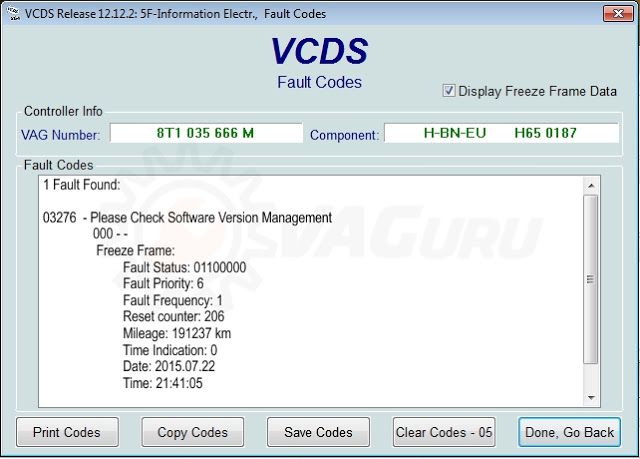
What Does Audi DTC 03276 Mean?
Audi DTC 03276 - “Please Check Software Version Management” commonly appears after an infotainment software or firmware update when the control module records that the software has changed but the corresponding Software Version Management (SVM) feedback/documentation has not been completed.
According to Ross-Tech, DTC 03276 itself normally causes no functional restrictions. It is primarily a stored diagnostic fault indicating that the software update state needs to be acknowledged or corrected.
If your MMI has additional problems such as rebooting, missing navigation or a failed firmware installation, diagnose those problems separately — clearing 03276 will not repair an unsuccessful update.
| Situation | What to do |
|---|---|
| 03276 appeared after successful firmware update | Use appropriate SVM correction procedure |
| MMI works normally | 03276 itself usually causes no functional restriction |
| 03276 + 03623 | Treat both DTCs separately |
| Firmware update failed | Fix update problem before focusing on 03276 |
| Different MMI platform / RMC | Verify the correct adaptation procedure |
| Channel 15 has no expected value | Stop and verify platform/procedure rather than entering random values |
There can be also another one:
- 03623 Invalid Security - here you will find how to remove it as well.
You will need VCDS to do that and generate SVM code.
Video Guide - How to Remove Audi DTC 03276
The video below shows the VCDS procedure used in this guide. Confirm that your MMI platform matches the procedure before changing adaptation values.
Open VCDS and Choose "Select Control Module":

Select Module 5F:

Click on "Adaptation - 10"

Enter 15 for the channel and press the "Read" button.

Enter the number above the heading "Count" into the Calculator below and press Calculate:

Now enter the value you just created into the New Value area and click Test/Save:
Note that only Save may be available in which case you would ignore the test instruction.

Exit Adaptations and return to the main screen (Click "Done, Go Back").
Click "Faults Codes - 02":

If you see any Faults click "Clear Codes - 05" then "Done, Go Back"

Now check Fault codes one more time and the SVM error should be gone. If not repeat the steps again.
In the event you go to Channel 15 and there is no Count value, clear your errors and then go back recheck. Sometimes the count will not be present until the error is cleared. Of course the error will return until you complete all the above steps again.
Audi 03276 SVM Code Calculator
Enter the Count value read from the appropriate adaptation channel for the supported MMI procedure. The calculator will generate the new SVM adaptation value used in the steps below.
| Count From Channel 15 | |
| SVM Value | |
03276 vs 03623 - These Are Different Fault Codes
03276 - Please Check Software Version Management
→ software update / SVM feedback state
03623 - Invalid Security / Release Code
→ security / release-code state
It is possible to see both after MMI update or activation work, but clearing one does not automatically clear the other.
🚀 Moving Beyond MMI 3G?
Official map updates for legacy MMI 3G systems concluded in 2024. If you are looking for modern navigation, real-time traffic, and full smartphone integration, it is time to explore next-generation alternatives!
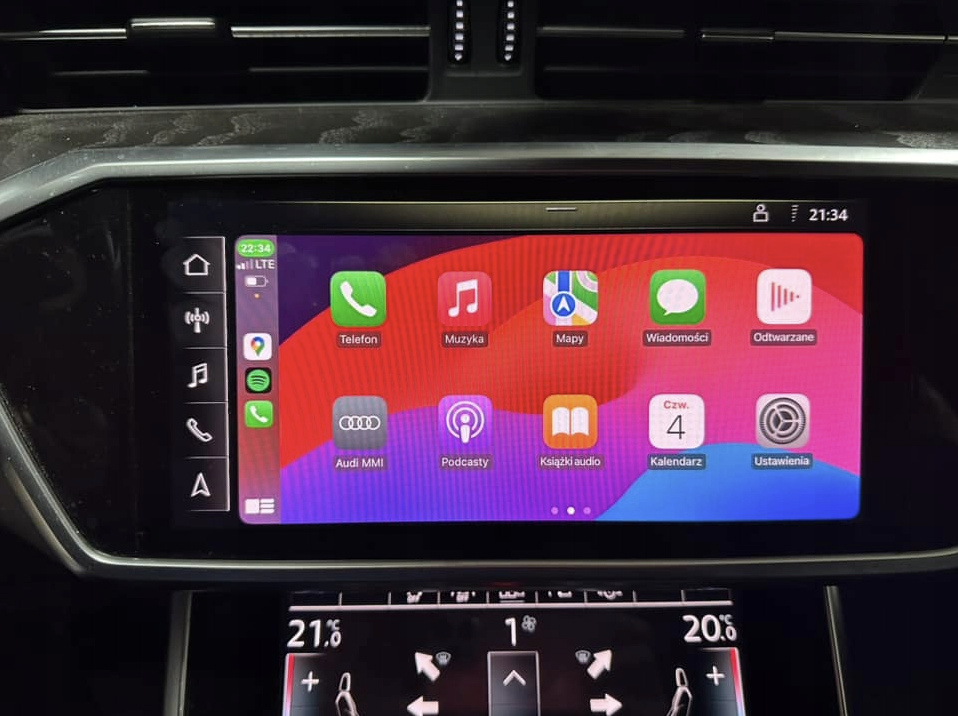
Driving a newer Audi model? Discover how to fully unlock and activate Apple CarPlay, Android Auto, and custom firmware on high-performance MIB2 (MHI2 & MHI2q) systems.

19 comments
:Hi. Did the update tonight and everything is fine except the 03276 code. Tried several times, but new code will not enter count window. It seems normal when testing and coding, but fault code still there and when I go back to coding, it's the old value 32226. Any tip?
try again and when you save this code, try to clean 03276 ecu error.
Tried that yesterday, after firmware update it was no problem to test/enter new value, but impossible after map. Did several times with/without deleting error code, and it seems to accept new value, but's not saving. Should I install firmware (P1001) again to see if I can have a new count value, or will it mess up…
Installed GEMMI to get back Google map, got a new value in channel 15, now it worked.
Glad you sorted it out.. completely forgot about GEMMI.... 🤦♂️
Thanks a lot Adam. Everything worked like it is in video. Your services are just perfect.
According to the instructions I failed, I have an error message 01043 - incorrect soft version
this will not remove that problem.. sometimes after maps installation might get rid of this or convert on to 03276 which can be easily removed.
how?
i've seen that error just once, i have removed old navigation database & partition via green menu and reinstalled the maps - then this error disappeared and only was 03276.
it's already quite complicated for me, I had the maps installed and I don't have an installation SD card for them
but thanks
For me on my RMC it was channel 8 that had the count. Other than that everything worked out well. Thank you!
This was the same for me thank you for commenting it was channel 8 for you. I was pulling my hair out as my channel 15 kept saying N/A even after clearing the code. Mine was an Audi S1 RMC MMI
Worked like a charm. Glad to have found the page. Thanks. granted a minor issue but one with your tutorials and VCDS easily resolved.
Hi. I'm looking for update software and maps for my customer a6 allroad c7, maps and whole mmi, he made changes and I can't fix that to previous ones. . Few available options is missing now after factory reset. Any help with that issues. Please Thanks Peter
Hi there's no newest firmware update for your car. One of the good ideas can be reinstalling firmware via green menu (emergency update Enter green menu > SWDL > tick options: Ignore region and variant and user defined, then back to main green menu, then: system > eemergencyupdate > YES - but you need to have SD with…
Trying to work this out, but resetting just makes error codes come back right after they have been cleared. Fault code is that "01043 incorrect software version" after updating BT on A6 C7 RMC. Can not get channel 15 to count values. Isn't there any other solution?
Unfortunately, we do not have solution for that error in RMC unit..
Sign in or create an account to leave a comment →