Can Audi MMI Be Upgraded? Complete Audi Infotainment Upgrade Guide
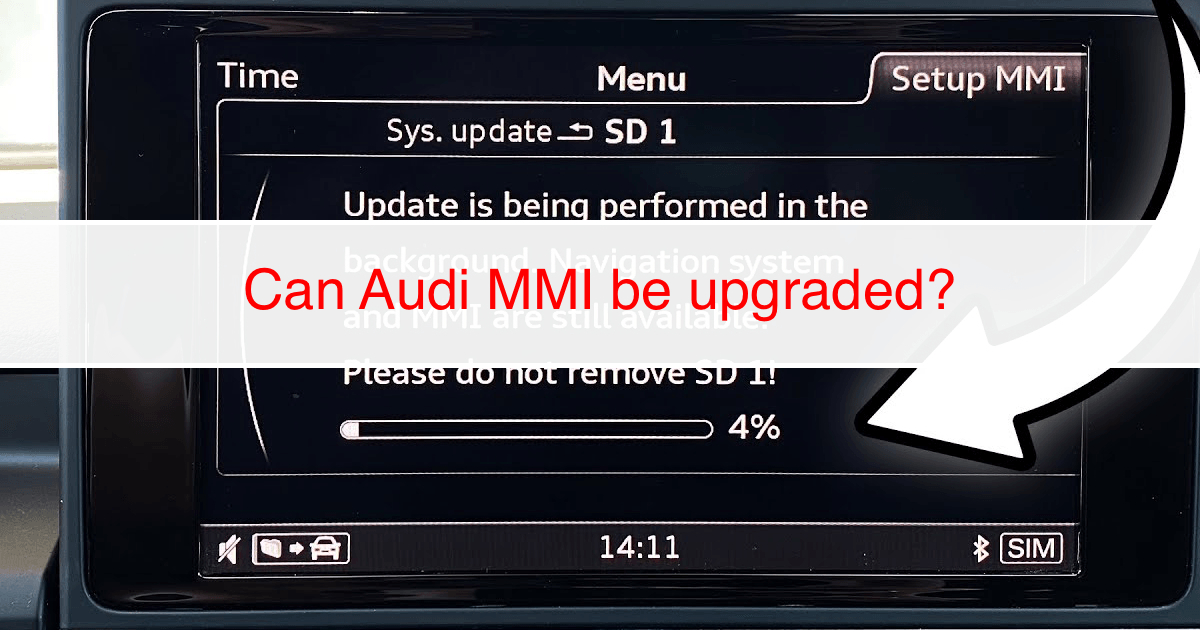
Yes, in many cases an Audi MMI system can be upgraded.
The important question is what you mean by “upgrade”.
An Audi MMI upgrade can refer to several completely different things:
- installing newer firmware
- updating navigation maps
- activating Apple CarPlay or Android Auto
- making wired CarPlay or Android Auto wireless
- adding CarPlay to an older MMI with an external interface
- converting the infotainment system from one region to another
- replacing the complete MMI hardware with a newer generation
These upgrades are not interchangeable.
A firmware update will not normally turn an old infotainment generation into a newer one.
For example:
MMI 3G
→ firmware update
→ still MMI 3G
MIB2
→ firmware update
→ still MIB2
MIB2
→ firmware update
→ NOT MIB3
Before buying or installing anything, identify the exact infotainment system installed in your Audi.
Use our MMI identification guide:
Quick Answer – What Can Be Upgraded in Audi MMI?
Depending on your MMI generation, you may be able to upgrade:
- firmware
- navigation maps
- Apple CarPlay
- Android Auto
- wireless smartphone integration
- Bluetooth-related functionality
- region configuration
- navigation activation
- selected software features
- complete infotainment hardware
But the available options depend on the exact MMI platform.
The software version is much more useful than the Audi model year alone.
For example, two Audi A6 vehicles from similar years may have completely different infotainment systems and therefore require completely different updates.
Audi MMI Upgrade Options at a Glance
| Upgrade | Software only? | Typical result |
|---|---|---|
| Firmware update | Yes | Bug fixes, compatibility changes, software improvements |
| Navigation map update | Yes | Newer roads, POIs and navigation data |
| MIB2 CarPlay / Android Auto activation | Sometimes | Factory-style smartphone integration |
| Wired to wireless CarPlay / Android Auto | Usually adapter | Wireless smartphone connection |
| MMI 3G CarPlay / Android Auto | No | External retrofit interface |
| MMI 3G to MIB2 | No | Complete hardware retrofit |
| MIB2 to MIB3 | No | Complete hardware retrofit |
| USA to Europe conversion | Depends on system | Regional firmware, maps and configuration |
| Navigation activation | Depends on system | Enables navigation on compatible hardware |
Step One – Identify Your Audi MMI
Do not choose an update only because a product says:
“Audi A4”
“Audi A6”
“Audi Q5”
or:
“2015 Audi”
Audi installed multiple infotainment systems in the same model generations.
The safest method is to check the complete software version shown by the MMI.
Common examples include:
BNav_
HNav_
HN+_
HN+R_
RMC_
MHIG_
MHI2_
MHI2Q_
MHS2_
MH2p_
MHI3_
These prefixes identify different infotainment families.
For a detailed identification guide:
You can also use our upgrade checker:
Firmware Update vs MMI Upgrade – They Are Not the Same Thing
This is probably the most important distinction in the entire guide.
A firmware update changes the software running on your existing infotainment hardware.
It does not normally replace the infotainment architecture.
For example:
HN+EU_AU3G
→ compatible newer HN+ firmware
→ still MMI 3G Plus
MHI2_ER_AU57x_
→ compatible newer MHI2 firmware
→ still MIB2
MHI3_ER_AU_
→ compatible newer MHI3 firmware
→ still MIB3 / MHI3
So:
firmware update
≠
new infotainment generation
If you want to move from MMI 3G to MIB2 or from MIB2 to MIB3, you are normally looking at a hardware retrofit.
Upgrade 1 – Audi MMI Firmware
Firmware is the operating software of the infotainment unit.
Depending on the system and firmware release, an update may contain:
- stability fixes
- Bluetooth improvements
- smartphone-integration corrections
- navigation-related fixes
- user-interface corrections
- compatibility changes
- system bug fixes
- internal software improvements
Not every firmware update adds new visible features.
Some releases mainly correct software problems.
A newer firmware number also does not automatically mean that it is compatible with your MMI.
The complete software train must match.
For our general firmware installation guide:
Firmware category:
Should You Always Install the Newest Firmware?
No.
Do not update the MMI just because you found a version with a larger number.
First determine:
- what MMI system you have
- what firmware is currently installed
- what the target firmware is
- whether an intermediate update is required
- whether the package matches the correct region
- whether the update is intended for your hardware family
If your MMI works perfectly and you have no specific reason to update it, there is no benefit in randomly installing firmware.
Firmware updates should solve a compatibility need, prepare the system for another supported upgrade or correct known software behavior.
They should not be used as random troubleshooting.
Upgrade 2 – Audi Navigation Maps
Navigation maps are separate from MMI firmware.
Firmware controls the infotainment software.
Maps contain navigation data such as:
- roads
- junctions
- addresses
- POIs
- routing information
Therefore:
new firmware
≠
new maps
and:
new maps
≠
new firmware
You can have the latest compatible MMI firmware while still using an old navigation database.
Likewise, you can sometimes update the navigation database without changing the firmware.
Our current Audi navigation guide:
Navigation map category:
Which Audi MMI Systems Can Receive Map Updates?
Map support depends on the navigation platform and region.
Common systems include:
- MMI 3G Basic
- MMI 3G High
- MMI 3G Plus
- RMC
- MIB1
- MIB2
- MHS2
- MH2p
- MIB3 / MHI3
Each system uses its own map format.
You cannot install MIB2 navigation maps on MMI 3G.
Likewise, an MMI 3G map package is not compatible with MIB2.
The system must be identified first.
Upgrade 3 – Apple CarPlay and Android Auto
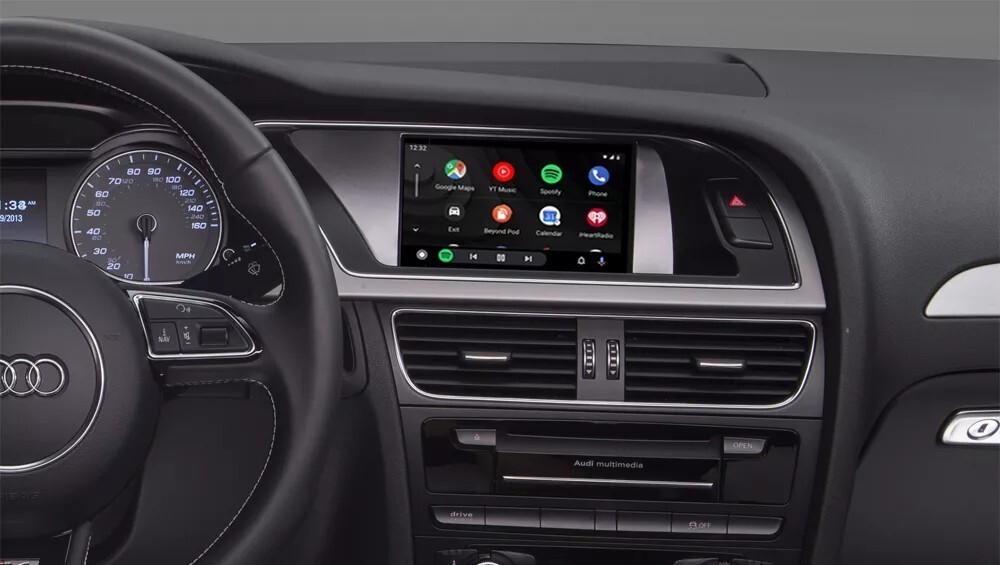
CarPlay and Android Auto are among the most popular Audi infotainment upgrades.
However, the correct solution depends strongly on the MMI generation.
There are three main upgrade routes:
- software activation on compatible factory hardware
- external retrofit interface
- complete infotainment hardware retrofit
Can MMI 3G Get Apple CarPlay or Android Auto?
Yes, but not through a normal firmware update.
MMI 3G was designed before factory Apple CarPlay and Android Auto support became common.
Systems such as:
BNav_
HNav_
HN+_
HN+R_
normally require an external CarPlay / Android Auto interface.
The interface works with the existing factory MMI and usually retains:
- factory display
- MMI control knob
- steering-wheel controls
- factory audio system
- original Audi menus
When CarPlay is needed, the additional interface takes over the screen.
You can then switch back to the original Audi MMI.
MMI 3G CarPlay retrofit guide:
General Audi CarPlay / Android Auto guide:
Can MIB2 Get Apple CarPlay or Android Auto Through Software?
On compatible MIB2 systems, software activation may be possible.
This applies to selected systems such as certain:
MHI2_
MHI2Q_
units.
The factory hardware must already support Audi Smartphone Interface functions.
A compatible activation can enable:
- Apple CarPlay
- Android Auto
without installing a separate aftermarket screen.
However, do not assume that every MIB2 unit supports software activation.
Compatibility depends on:
- software train
- hardware version
- region
- USB hardware
- installed configuration
Our MIB2 activation guide:
Can Wired CarPlay or Android Auto Be Made Wireless?
Yes.
If the Audi already has working wired CarPlay or Android Auto, a wireless adapter may be enough.
This is very different from activating CarPlay on a vehicle that does not support it at all.
The adapter does not create CarPlay capability from nothing.
It converts an existing compatible wired connection into a wireless one.
For Wireless Android Auto:
MMI 3G CarPlay vs MIB2 CarPlay Activation
These two upgrades are often confused.
MMI 3G:
external interface
→ adds CarPlay / Android Auto functionality
Compatible MIB2:
software activation
→ enables functionality already supported by the factory platform
So if your Audi has HN+_, installing an MIB2 activation script is not the solution.
If your Audi has compatible MHI2_, buying a complete MMI 3G retrofit interface may be unnecessary.
Identify the MMI first.
Can MMI 3G Be Upgraded to MIB2?
Yes, but not with software alone.
MMI 3G and MIB2 use different hardware architectures.
A genuine MMI 3G to MIB2 conversion can involve replacing or modifying:
- head unit
- display
- MMI control panel
- USB interface
- wiring
- communication modules
- coding
- activation
- Component Protection
The exact retrofit depends on the Audi model.
This is considerably more complicated than installing a firmware update.
If the only goal is to add:
- Apple CarPlay
- Android Auto
- Google Maps
- Waze
- Spotify
an external MMI 3G CarPlay interface is usually a much simpler upgrade.
Can Firmware Turn MMI 3G Into MIB2?
No.
This is not how Audi infotainment generations work.
You cannot install MIB2 firmware onto an MMI 3G head unit and create MIB2.
The hardware, operating environment and software architecture are different.
Think of firmware as an update to an existing platform, not as a replacement for the entire infotainment computer.
Can MIB2 Be Upgraded to MIB3?
Not through a normal firmware update.
MIB2 and MIB3 are separate infotainment generations.
For example:
MHI2_
MHI2Q_
MHS2_
are not converted into:
MHI3_
simply by flashing newer software.
A genuine MIB2 to MIB3 conversion is a hardware retrofit requiring compatible vehicle integration.
Depending on the vehicle, it can involve:
- main infotainment unit
- display
- communication modules
- USB hardware
- wiring
- coding
- Component Protection
- online-service configuration
If your MIB2 already supports CarPlay, navigation and modern maps, replacing the entire system may provide much less value than upgrading the existing platform.
Can MIB1 Be Upgraded to MIB2?
Again, not through normal firmware.
A MIB1-to-MIB2 upgrade is a hardware retrofit.
Depending on the vehicle, this may be technically possible, but it requires compatible components and vehicle-specific coding.
If your goal is only CarPlay or Android Auto, check whether an interface solution exists for your existing MIB1 system before planning a complete retrofit.
What About MMI 2G?
MMI 2G is much older.
Its normal software and navigation upgrade possibilities are now limited compared with later Audi systems.
However, selected upgrades are still possible, including:
- legacy firmware
- compatible navigation updates
- Bluetooth/audio interfaces
- external CarPlay / Android Auto interfaces
A complete conversion to a newer infotainment platform is a hardware project rather than a firmware update.
Can a US Audi MMI Be Converted to Europe?
On supported platforms, yes.
A region conversion is different from a standard software update.
Depending on the MMI system, a conversion may involve:
- European firmware
- regional coding/configuration
- European navigation maps
- radio-frequency configuration
- language configuration
- activation/licensing
- platform-specific conversion tools
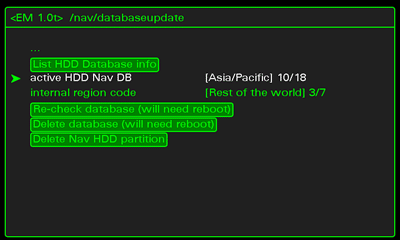
Do not simply install European firmware onto a US unit unless the correct conversion procedure requires it.
Using firmware from the wrong region without proper preparation can create serious software problems.
Our USA to Europe conversion guide:
What About Japan, Korea, Middle East and Rest of World?
The same principle applies.
Region conversions are platform-specific.
For example:
USA
→ Europe
Japan
→ Europe
Korea
→ Europe
Middle East
→ Europe
may all require different steps depending on the infotainment family.
Do not assume that changing the navigation maps alone converts the complete MMI region.
Firmware, radio settings, configuration and licenses can also be involved.
What Can Your Audi MMI Generation Usually Be Upgraded With?
| MMI family | Firmware | Maps | CarPlay / Android Auto | Newer generation |
|---|---|---|---|---|
| MMI 2G | Limited | Legacy | External hardware | Hardware retrofit |
| MMI 3G Basic | Yes | Yes | External hardware | Hardware retrofit |
| MMI 3G High | Yes | Yes | External hardware | Hardware retrofit |
| MMI 3G Plus | Yes | Yes | External hardware | Hardware retrofit |
| RMC | Platform-specific | Yes | Usually external solution | Hardware retrofit |
| MIB1 | Yes | Platform-specific | Depends on system | Hardware retrofit |
| MIB2 MHI2/MHI2Q | Yes | Yes | Often possible on compatible units | Hardware for MIB3 |
| MHS2 | Yes | Yes | Platform-dependent | Hardware retrofit |
| MH2p | Yes | Yes | Platform-dependent | Hardware retrofit |
| MIB3 / MHI3 | Yes | Yes | Vehicle-dependent | Current-generation platform |
This table is a general overview.
The exact software train must still be verified before installing anything.
What Is the Best Upgrade for an Older Audi?
It depends on what you actually want to improve.
If you want newer roads:
→ navigation map update
If the MMI has bugs or compatibility problems:
→ compatible firmware update
If you want Google Maps, Waze or Spotify:
→ CarPlay / Android Auto
If your MMI already has wired CarPlay:
→ wireless adapter
If you imported the vehicle from another region:
→ region conversion
If you want a completely newer infotainment architecture:
→ hardware retrofit
This is why “I want to update my Audi MMI” is not enough information to choose the correct product.
Do I Need to Replace the Factory Screen?
Usually not for normal firmware or navigation updates.
You also normally keep the factory screen when installing an MMI 3G CarPlay interface.
A screen replacement may be required for:
- complete infotainment retrofit
- certain aftermarket Android systems
- larger-display conversions
- specific MIB-generation retrofits
A software update itself does not require replacing the screen.
Do I Need a New USB Port for CarPlay?
Sometimes.
The answer depends on the MMI system and factory hardware.
Some MIB2 systems may require a compatible USB interface for factory Audi Smartphone Interface functionality.
An external retrofit module can use its own USB connection.
Do not assume that every factory Audi USB socket supports CarPlay simply because it can charge a phone.
Does Updating MMI Increase Performance?
It can, but only when a particular firmware release addresses performance or stability problems.
Do not expect every firmware update to make the MMI dramatically faster.
Persistent problems such as:
- progressively slower boot
- repeated freezing
- boot loops
- storage errors
can indicate a deeper software or hardware problem.
For MIB2 slowdowns and possible storage failure:
Can an MMI Upgrade Fix a Black Screen?
Not necessarily.
A black screen can be caused by:
- software freeze
- failed update
- defective display
- head-unit failure
- power supply
- fuse
- MOST/network fault
- hardware damage
Do not buy firmware simply because the screen is black.
First try the correct MMI restart procedure:
Can Firmware Fix an MMI That Keeps Restarting?
Possibly, if the cause is software-related.
But repeated restarts can also be caused by:
- internal storage failure
- power supply problems
- overheating
- hardware faults
- communication/network errors
See:
Can an Upgrade Remove Component Protection?
No.
Component Protection is not a normal firmware setting.
Replacing protected infotainment hardware can trigger Component Protection and require appropriate adaptation.
Similarly, SFD and SFD2 are not removed by simply flashing firmware.
See:
Can an Upgrade Activate Navigation?
Sometimes, but navigation activation is a separate issue from firmware and map data.
You may have:
working firmware
+
installed navigation maps
+
navigation still not activated
because the system requires the correct navigation activation/licensing.
See:
What Is the Safest Audi MMI Upgrade Order?
Use this workflow:
- Identify the exact MMI system
- Record the complete current software version
- Check the current navigation version
- Decide what you actually want to improve
- Check hardware compatibility
- Verify region
- Choose the correct upgrade type
- Read the installation procedure before downloading anything
- Maintain stable voltage during firmware work
- Never install software from a different MMI family
Audi MMI Upgrade Decision Tree
Start with your goal.
Want newer navigation data?
→ Map update
Want to fix software bugs?
→ Firmware update
Want Apple CarPlay / Android Auto?
↓
MMI 3G?
→ External interface
Compatible MIB2?
→ Software activation may be possible
Already have wired CarPlay?
→ Wireless adapter
Want MMI 3G to become MIB2?
→ Hardware retrofit
Want MIB2 to become MIB3?
→ Hardware retrofit
Imported Audi from another region?
→ Region conversion
Not sure what system you have?
→ Identify MMI first
How to Avoid Buying the Wrong Audi MMI Upgrade
Before ordering, provide the complete software version.
For example:
GOOD:
HN+_EU_AU3G_P0814
MHI2_ER_AU57x_K3663_1
MHI2Q_US_AUG22_P4171
MH2p_ER_AUG35_P2711
MHI3_ER_AU_P3853
NOT ENOUGH:
Audi A6 2016
Audi Q7 2017
MMI Plus
Navigation Plus
Audi MMI
The software identifier is much more precise.
Can I Upgrade Audi MMI Myself?
Many software and navigation updates can be performed by an experienced owner if:
- the exact MMI is identified
- the package is correct
- the instructions are followed
- stable battery voltage is maintained
- the update is not interrupted
Hardware retrofits are more complicated.
They may require:
- dashboard disassembly
- wiring
- coding
- diagnostic tools
- Component Protection adaptation
- module configuration
If you are not comfortable with those tasks, use an experienced retrofit specialist.
Is Updating Audi MMI the Same as Updating the myAudi App?
No.
The myAudi smartphone app and the infotainment software installed in the vehicle are separate systems.
Updating the mobile application does not update the MMI firmware.
Likewise, installing MMI firmware does not necessarily update every connected Audi service.
Can Audi MMI Update Over the Air?
Some newer Audi platforms support online or OTA-related update functions.
Older systems such as MMI 2G and MMI 3G generally rely on physical update media.
Do not assume that because a newer Audi can receive online updates, an older MMI can do the same.
Update method depends on the infotainment platform.
Is Every Audi MMI Upgrade Worth Doing?
No.
An upgrade makes sense when it provides a real benefit.
Examples:
Outdated navigation
→ update maps
Missing CarPlay
→ add CarPlay
Known firmware issue
→ install compatible firmware
Different vehicle region
→ perform proper conversion
Old MMI but otherwise working perfectly
→ do not flash random firmware only because a higher number exists
The best upgrade is the one that solves an actual requirement.
Frequently Asked Questions
Can Audi MMI be upgraded?
Can I upgrade Audi MMI with software only?
Can MMI 3G get CarPlay?
Can MMI 3G get CarPlay through firmware?
Can MIB2 get CarPlay through software?
Can MMI 3G be updated to MIB2?
Can MIB2 be updated to MIB3?
Does firmware update the navigation maps?
Can maps be updated without firmware?
Can a US Audi MMI be converted to Europe?
Can I make wired Audi CarPlay wireless?
Can firmware remove Component Protection?
Can firmware activate navigation?
Can I upgrade Audi MMI myself?
How do I know which upgrade fits my Audi?
Not Sure Which Upgrade Fits Your Audi?
If you know your current MMI software version but are not sure which firmware, navigation map or CarPlay option is compatible, use our upgrade checker:
You can also start with our complete MMI identification guide:
The key rule is simple:
Identify the MMI first.
Then choose the upgrade.
Do not choose an update package only because another Audi of the same model or year uses it.


0 comments
Sign in or create an account to leave a comment →